Physical Address
304 North Cardinal St.
Dorchester Center, MA 02124
Physical Address
304 North Cardinal St.
Dorchester Center, MA 02124

🧠 Like2Byte Quick Start — Printify + Etsy (2026 Verdict)
Selling with Printify + Etsy in 2026 is still profitable — but the entry barrier has shifted. Success now depends on Curation Intelligence and on actively avoiding AI Slop: low-quality, generic output that saturates the marketplace.
W.E.I. (Workflow Ease Index) is our proprietary metric designed to measure the real-world practicality of a tool. Unlike conventional reviews, we don’t focus only on “price” or “design” — we evaluate the technical friction a tool introduces into your professional workflow.
*A 5/5 W.E.I. score means the tool accelerates your digital operations. A 1/5 score means it becomes a time bottleneck.
📊 Like2Byte W.E.I. Score (Workflow Ease Index)
Note: The workflow itself is solid, but real-world stability depends entirely on the Printify provider you choose.
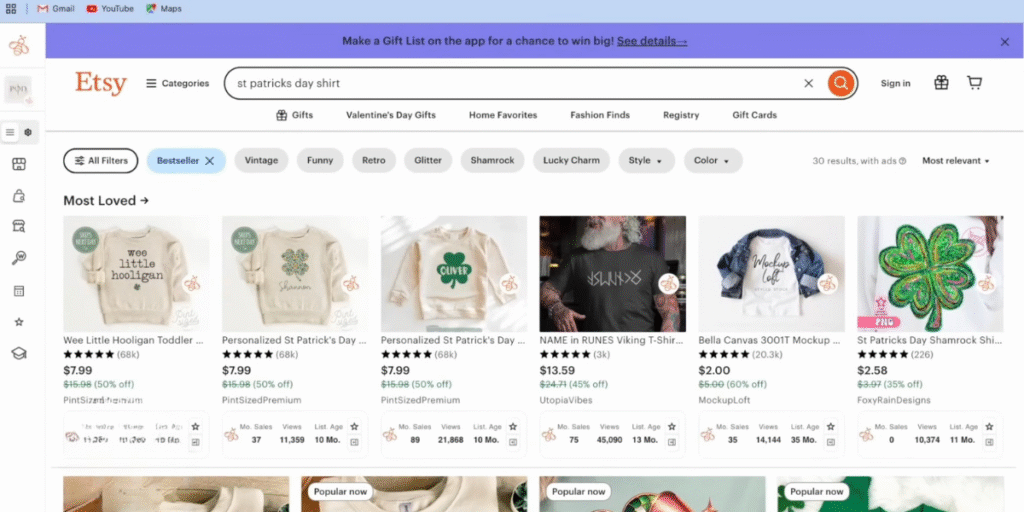
The biggest mistake in 2026 is starting with design. At Like2Byte, we apply Demand Triangulation. Go to Etsy and search for niches — not products:
Technical check: Confirm recent sales within the last 7 days using analytics tools or by inspecting recent reviews. If the niche shows no real movement, don’t waste time processing prompts for it.
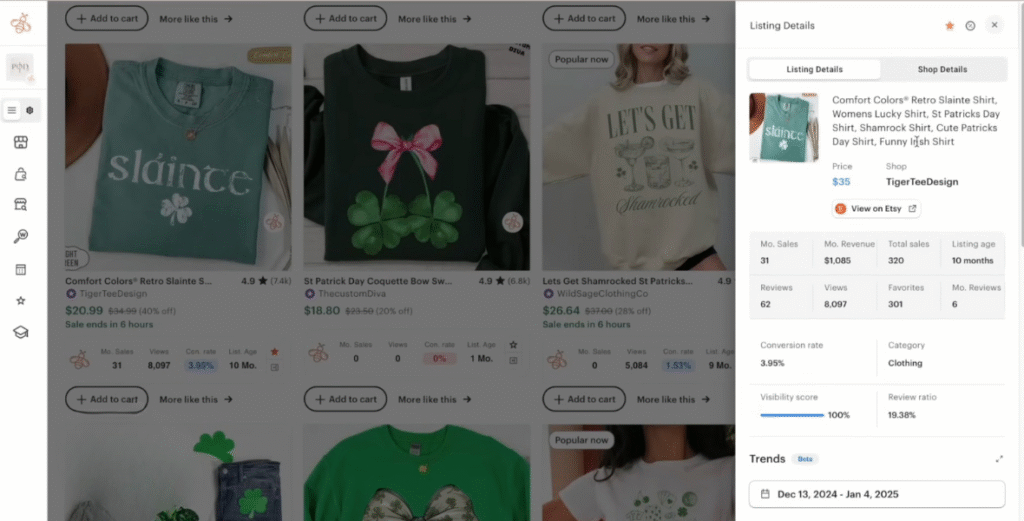
If you want a faster demand signal in 2026, don’t validate only by “does this niche exist?” Validate by timing and market proof.
Seasonal products are rarely “discovered” during the season — they’re discovered weeks or months before. If your listing goes live when everyone is already shopping, you’re late.
When a niche looks promising, do a “best-seller scan” to confirm that buyers are actively purchasing (not just browsing).
Like2Byte rule: If a niche has impressions but no evidence of recent buying behavior, you’re validating “attention,” not “demand.” Demand is proven by recent purchases.
To avoid Prompt Inertia — when AI keeps producing the same stock-like visuals — you need to move beyond generic prompts and adopt a curation-first workflow. In practice, this means using tools like Midjourney v7 or Flux.1 to generate distinct visual elements, then refining typography, spacing, and composition inside Canva.
If you want a deeper, step-by-step breakdown of how this design process fits into a real print-on-demand workflow, we documented the full system here: Selling AI Art in 2026 — A Practical POD Blueprint.
Tool choice also matters more than most sellers realize. Different image models behave very differently when it comes to text accuracy, layout control, and stylistic consistency — especially for apparel designs. We compared the two most used options in detail in our Midjourney v7 vs Flux.1 comparison, with a focus on real-world marketplace performance.
When moving from design to execution on Printify, the main technical risk is the Export Bottleneck: designs losing effective resolution (DPI) during the handoff.
#000000 to avoid washed-out greys on dark garments.Most beginners lose money not because they chose the “wrong niche,” but because they launched with too many options. In 2026, the safest early move is: one proven blank + limited variants.
Too many colors create operational friction: wrong variant selection, mismatched mockups, more support tickets, and lower conversion clarity. Start narrow, then expand only after the listing converts.
Friction trap: More variants can increase impressions, but often decrease conversion because the listing feels less “clear.” Clarity beats optionality in early-stage Etsy stores.
In 2026, Etsy buyers instantly recognize generic mockups. Use AI mockup generators to place products in realistic environments — but keep the first image clean, flat, and product-focused.
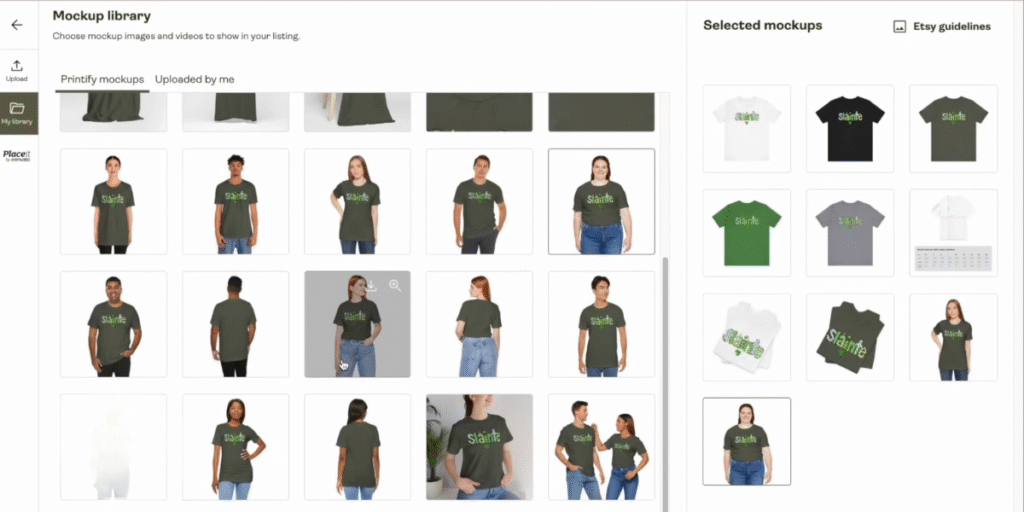
Mockups don’t exist to “look pretty.” They exist to answer one question fast: “What exactly am I buying?” In 2026, your first image should be clarity-first, and your supporting images can be lifestyle-driven.
Use lifestyle mockups to help buyers visualize “who this is for” (context beats aesthetics). If you use mockup platforms, keep the look consistent across the listing.
Like2Byte quick test: Screenshot Etsy search results on your phone. If your first image blends in, you don’t have a product problem — you have a thumbnail problem.
Pricing is where most Printify + Etsy stores quietly fail. Not because they never get sales — but because they confuse revenue with profit.
In 2026, pricing for “volume” without scale is a fast way to burn cash. Instead, you need a Survival Pricing model: a structure that keeps your store alive even when refunds, delays, and bad prints happen.
Before publishing any listing, calculate pricing from the worst realistic scenario, not the best one.
If your pricing cannot absorb one full refund without wiping out multiple successful sales, the product is not viable yet.
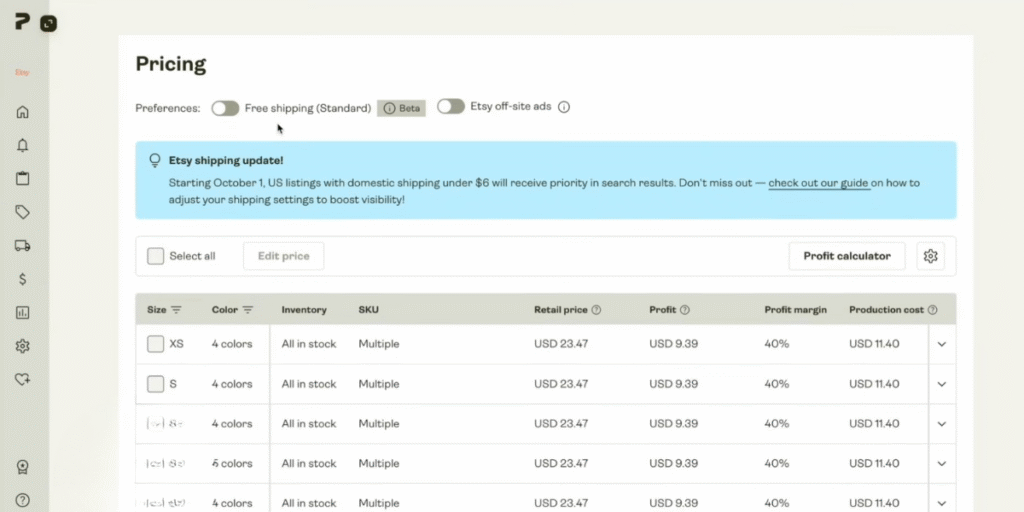
Let’s walk through another realistic example using a common Printify t-shirt:
Total cost: ~$18.00
Net profit per sale: ~$6.99
💡 Pricing Reality Check
This may look acceptable on paper — until refunds enter the picture. In print-on-demand, one refunded order usually costs the full print + shipping, which means you often need two additional successful sales just to break even.
$24.99 Sale Price
⬇ Etsy Fees (~10%) → -$2.50
⬇ Printify Production → -$10.50
⬇ Shipping → -$5.00
≈ Net Profit: $6–7
This is why pricing below $22–$24 for most apparel products becomes dangerous in 2026 — there’s simply no margin left for operational friction.
Lower prices rarely increase long-term profitability on Etsy. Instead, they tend to:
In identity-driven niches, buyers are not choosing the cheapest option — they are choosing the most relevant one.
Rule of thumb: If your pricing feels “tight” before your first sale, it will break once real customers enter the system.
Note: All pricing, fees, and margin examples in this guide reflect average market conditions observed in 2026. Actual costs may vary depending on print provider, product type, shipping destination, and platform fee updates. Always validate your real costs inside Printify and Etsy before making pricing decisions.
Publishing in Draft Mode is not a formality — it is a risk-control step. Once a listing goes live, Etsy fees start accumulating and early impressions shape long-term performance. A weak launch often locks a listing into low-CTR territory.
Before switching to “Active,” run a final technical and commercial audit. This is where experienced sellers prevent problems that only become visible after money is already at risk.
Most POD listings fail because Etsy shows them, but buyers don’t click. In practice, that’s usually a mismatch between keyword intent and what the thumbnail communicates.
Start the title with the most specific buyer intent phrase. Broad keywords can appear later.
Never publish a listing with the default auto-generated description as-is. Use it as raw material, then rewrite the first 3–5 lines to sell clarity and reduce refund risk.
Sizing & Care (Template)
That small block alone reduces “not as expected” disputes — which protects your reviews and keeps your store healthy as volume grows.
Only after this audit should a listing go live. The goal is not speed — it’s launch integrity. A clean first 48–72 hours improves conversion signals, reduces refunds, and protects account health.
In most cases, 10–20 well-researched listings outperform 100 generic ones. Etsy favors consistency and relevance over volume. If none of your first 15 listings convert after receiving impressions, the problem is usually demand alignment or thumbnail clarity — not quantity.
No. Printify Premium only makes sense after validation. Until you have consistent sales, the lower base cost does not offset the subscription fee. Most profitable sellers upgrade only after confirming which products and providers actually convert.
Standard t-shirts and sweatshirts remain the safest entry point. They have predictable sizing expectations, stable demand, and fewer fulfillment surprises. Complex items (hoodies, all-over prints, mugs with gradients) introduce quality risk too early.
No. Fulfillment can be automated, but judgment cannot. AI can assist with design and mockups, but pricing decisions, provider selection, and refund handling require human oversight. Fully automated stores are the ones most likely to collapse at scale.
The clearest signal is impressions without clicks. If Etsy shows your product but buyers don’t click, the issue is almost always the thumbnail: poor contrast, unreadable text, or generic visuals. Fix the first image before touching price or tags.
