Physical Address
304 North Cardinal St.
Dorchester Center, MA 02124
Physical Address
304 North Cardinal St.
Dorchester Center, MA 02124

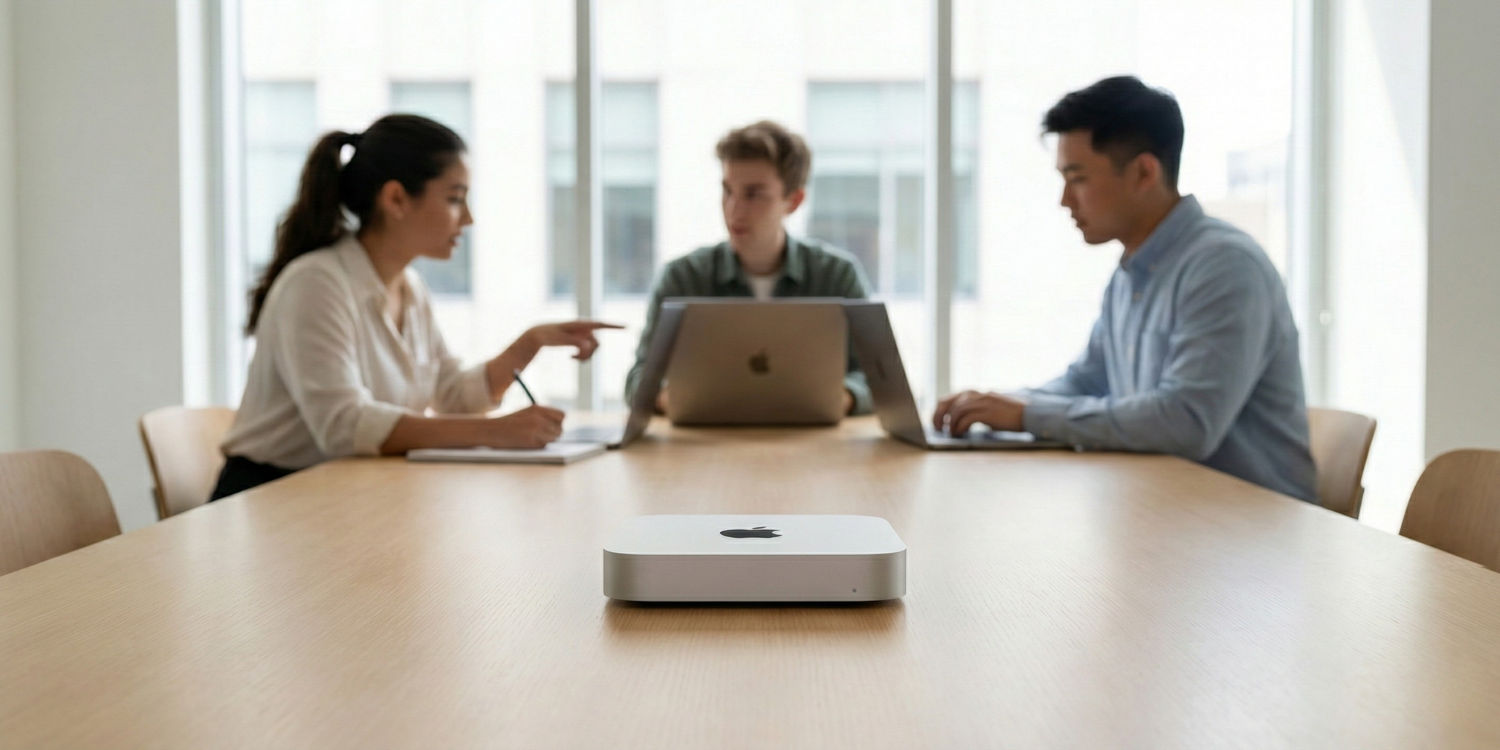
Quick Answer: Yes—Mac Mini M4 Pro 24GB can be a strong local LLM server for 2–5 person teams, but only if your stack is standardized (mostly 4B–8B quantized models), concurrency is controlled, and long-context workloads are scheduled with discipline. If your team expects everyone to run heavy 13B–14B sessions at the same time, performance will degrade fast. In this guide, I’ll show exactly where the setup wins, where it breaks, and how to decide before you overspend.
Most “Mac for local LLM” content is written for solo users. I built this article for a different reality: small teams sharing one machine, where latency, memory pressure, and queueing behavior matter more than headline benchmark screenshots. If you’re deciding whether the Mac Mini M4 Pro 24GB is enough for your team in 2026, this is the practical decision framework I wish I had before running multi-user tests.
My approach here is simple: no hype, no vague claims—just operating limits, reproducible premises, and business impact. I’ll break down when 24GB is a real sweet spot, when the “context tax” kills throughput, and when hybrid (local + API) becomes the smarter path for productivity, privacy, and ROI.
If your team has 2–5 people, the Mac mini M4 Pro 24GB can be an excellent local LLM server—but only inside a clear operating envelope. Most guides are still written for solo usage. Team reality is different: shared memory pressure, concurrent context growth, and queueing behavior decide whether this setup feels fast or fragile.
I’ll keep this section practical: what performs well, where the ceiling appears first, and how to decide based on throughput per active user instead of hype benchmarks. For baseline context on Apple silicon limits and why this chip behaves differently under load, see Apple’s official M4 Pro architecture details (273GB/s unified memory bandwidth).
For small teams, 24GB is a strong middle tier—not a magic concurrency tier. In real usage, it is best treated as:
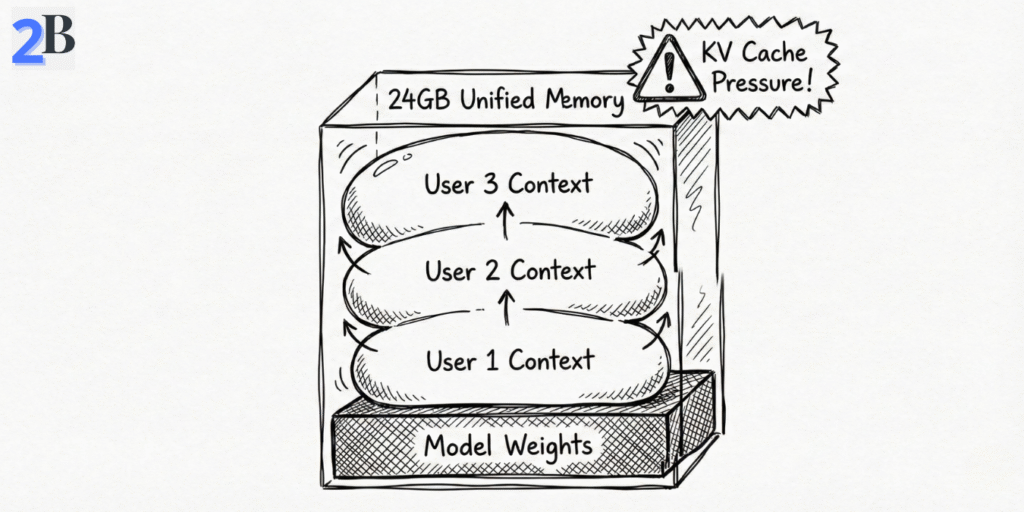
Important: the first bottleneck is often context growth (KV cache), not model loading. A team can “fit” the model in RAM and still degrade later as parallel chats accumulate memory over time—this is the hidden context tax in shared local setups.
If you want the solo baseline before team scaling assumptions, this companion benchmark helps align expectations: Mac mini M4 16GB local LLM benchmarks and ROI.
Team ROI is not just token pricing. Local deployment wins when your team values privacy, predictable latency, and fixed infrastructure cost. Cloud wins when your demand is bursty, highly concurrent, or frequently requires larger frontier models. For live token economics, use the official API pricing page as your moving baseline (OpenAI API pricing).
| Option | Year-1 Cost (Team of 4) | Monthly Cost Pattern | Pros | Cons |
|---|---|---|---|---|
| Mac mini M4 Pro 24GB | $1,199 (hardware) | Low/mostly fixed (power + maintenance) | Privacy, predictable spend, local control | Memory ceiling, needs team usage policy |
| Cloud LLM API | Variable by usage | Usage-based (can spike) | Elastic scale, latest models, low local ops | Recurring OpEx, external dependency, data governance complexity |
| PC workstation path | Variable (build-dependent) | Power + maintenance | Upgradeable GPU/RAM path | Higher ops overhead, thermals/noise/space trade-offs |
Takeaway: for 2–5 person teams, the M4 Pro 24GB is a great fit when you run a tiered model policy: small models for shared daily traffic, larger reasoning models for scheduled heavy tasks. If your team requires always-on high concurrency with long contexts, plan a hybrid design early instead of forcing one local node beyond its comfort zone.
Most local LLM tutorials stop at “it runs on my machine.” Team deployment is different. For a 2–5 person setup, your result depends less on installation and more on access policy, queue discipline, and memory guardrails. This blueprint is designed to make a single Mac mini M4 Pro 24GB reliable for real collaborative work—not just demos.
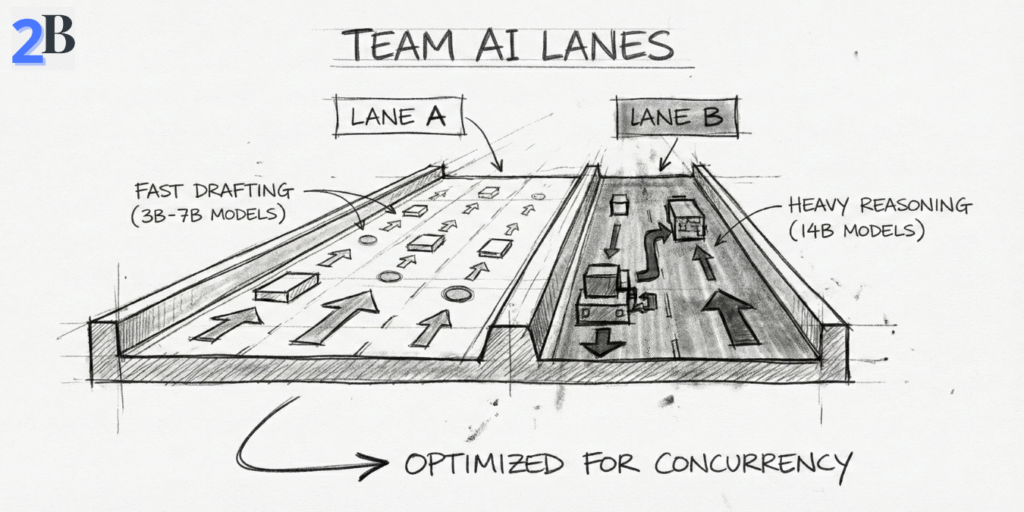
The operating principle is simple: one shared endpoint, controlled concurrency, and role-based model lanes. If you skip these controls, latency becomes unpredictable as soon as multiple users build context at the same time.
If you want the business framing behind this server-style setup, this internal guide complements this section well: Why the Mac mini M4 works as a local LLM server for agencies.
Local LLMs do not auto-scale like cloud endpoints. For teams, the winning setup is operational, not magical:
Practical team defaults (good starting point)
| Step | Purpose | Team-Level Guidance |
|---|---|---|
| Runtime Baseline | Consistent inference layer | Standardize Ollama first; add UI layer only if needed |
| Model Lanes | Avoid memory contention | 3B–7B as default, 8B–14B as scheduled “power lane” |
| Queue Policy | Predictable latency | Enable queueing during peak hours to prevent request pileups |
| Security Boundary | Data protection | Internal/VPN access, protected admin routes, no open public endpoint |
| Resource Observability | Prevent silent degradation | Track memory pressure + swap trends, not only CPU/GPU activity |
Bottom line: one M4 Pro 24GB can serve a small team very well when you treat it like shared infrastructure, not a personal workstation clone. Concurrency discipline, model lanes, and access controls are what convert “it runs” into “it scales for daily work.” In the next section, we’ll quantify model choices and concurrency envelopes for 2–5 person teams.
On a Mac mini M4 Pro 24GB, team productivity is mostly a model-governance problem, not a model-download problem. For 2–5 person teams, the winning setup is to map model size and quantization to real task lanes (drafting, reasoning, RAG), then enforce context and concurrency policies so memory pressure stays predictable throughout the day.
If you treat all users as “power users” on the same heavy model, latency and swap will eventually punish everyone. If you assign the right model tier to the right task, one machine can feel surprisingly fast and stable for small-team operations.
For team use, I recommend a lane-based stack instead of a single-model default. In practice, Q4/Q5 quantization is still the best balance between speed, memory efficiency, and output quality for shared local inference.
The “Context Tax” teams underestimate
Teams usually budget memory for model weights and forget that KV cache grows per active conversation. Five users with long sessions can consume enough extra memory to make a previously “stable” setup degrade suddenly. This is why context policy matters as much as model choice.
If you want a practical benchmark baseline before finalizing team lanes, this internal reference helps calibrate expectations on Apple Silicon behavior: Mac Mini M4 + DeepSeek R1 benchmark analysis.
RAG adds a second bottleneck beyond generation speed: retrieval and indexing overhead. In team scenarios, vector-store footprint, chunk strategy, and update frequency can degrade responsiveness faster than people expect—especially during collaborative document-heavy work.
| Model Tier (Team Use) | Typical Quantization | Approx. Memory Footprint | Practical Concurrent Users (24GB) | Best Use Case |
|---|---|---|---|---|
| 3B–4B class | Q4/Q5 | Low | 4–5 users (short/medium context) | Drafting, support, internal ops |
| 7B class | Q4_K_M / Q5 | Moderate | 3–4 users (controlled context) | General team assistant, coding, summaries |
| 8B class | Q4_K_M / Q5 | Moderate-high | 2–3 users (policy-driven) | Higher-quality reasoning/content |
| 14B class | Q4 class | High | 1 heavy or 2 light users | Advanced reasoning in scheduled windows |
Operational takeaway: for 2–5 person teams, the highest-ROI pattern is small/medium models as default + heavier models by policy. That one decision usually improves stability, lowers queue friction, and keeps local AI genuinely useful across the full workday.
The Mac mini M4 Pro 24GB can be an excellent small-team inference node—but only until your workload profile changes. Scaling decisions should be triggered by measurable operational signals (latency drift, queue growth, swap pressure), not by vague “it feels slower” impressions.
This section defines those scaling triggers, compares realistic expansion paths, and shows when a single-node local setup stops being cost-efficient for collaborative AI work.
In team environments, the first hard limit is rarely raw model loading—it is aggregate memory pressure over time (model weights + KV cache + RAG/embedding overhead + background tools). Once sustained pressure approaches the top of the 24GB envelope, latency becomes erratic and queueing compounds.
Operational upgrade rule (simple and useful)
If your team spends more time managing contention (closing apps, delaying jobs, re-running failed requests) than producing outputs, the current node is past its economic sweet spot.
When one Mac mini is no longer enough, there are three viable paths. The best one depends on workload shape: steady and private, spiky and mixed, or fully elastic and externalized.
| Scaling Path | Setup Complexity | Best Team Pattern | Cost Profile | Privacy Profile |
|---|---|---|---|---|
| Local Mini Cluster (2–3 nodes) | Medium (routing + orchestration) | 4–8 users with predictable internal workloads | Higher upfront, low recurring | Strong local control |
| Hybrid Cloud (API burst lane) | Medium–High (policy + fallback logic) | Mostly local, with occasional peak complexity | Balanced CapEx + OpEx | Configurable by workload class |
| Full Cloud LLM Service | Low initial / high governance | Rapid growth, external-facing, high variability | Recurring cost scales with usage | Provider-dependent controls |
If you want a baseline before cluster decisions, this internal guide helps frame the single-node economics clearly: Mac mini as a local LLM server for agencies.
For external reference on Apple Silicon memory architecture and why memory pressure behavior matters in these decisions, Apple’s unified memory explanation is a useful technical anchor: Apple unified memory architecture overview.
The M4 Pro 24GB setup is strong for disciplined small teams, but it is the wrong default for some operating profiles:
Final takeaway of this section: scale when contention becomes routine, not when failure becomes constant. For many teams, the best path is hybrid by design: local-first for privacy and predictable cost, cloud burst for complexity spikes and SLA protection.
If your team wants a private, predictable, and cost-controlled local AI stack, the Mac mini M4 Pro 24GB is one of the strongest options in 2026—with one important condition: you must operate inside its real concurrency envelope.
For most teams, that means standardizing daily work on 3B–8B quantized models, using 13B/14B as an occasional “power lane,” and managing context growth deliberately. In this mode, the machine can deliver excellent ROI and stable throughput for shared internal workflows (writing, support drafting, research, light RAG, internal assistants).
Where teams lose performance is predictable: long-context sessions for many users at once, heavy parallel jobs, and unmanaged KV cache growth. If these patterns are frequent in your roadmap, 24GB becomes a coordination problem first and a compute problem second.
30-Second Team Decision Matrix
| Team Profile | Recommendation | Why |
|---|---|---|
| 2–3 active users, mostly 7B/8B Q4/Q5, internal workflows | BUY NOW | Best balance of local privacy, predictable cost, and operational simplicity. |
| 4–5 users with mixed workloads, occasional heavy tasks | BUY + HYBRID POLICY | Keep routine tasks local; burst complex jobs to API to avoid queue congestion. |
| Frequent long-context 13B/14B usage or parallel heavy jobs | GO HIGHER TIER | 24GB becomes memory-fragile under sustained concurrency and context growth. |
| Customer-facing low-latency SLA and rapid scaling | HYBRID / CLOUD-FIRST | Autoscaling and SLA reliability are easier to guarantee with managed infrastructure. |
Editorial recommendation: for small teams that value data control and fixed-cost inference, the M4 Pro 24GB is a smart local node in 2026. Just don’t position it as a mini cloud. Use it as a local inference core, enforce model and context guardrails, and add a cloud overflow lane before contention becomes your daily bottleneck.
In short: excellent for disciplined small-team local AI, not a substitute for elastic server-class infrastructure.
Yes—if the team uses quantized 3B–8B models as the daily default and manages concurrency intentionally. For constant heavy parallel workloads, you will need a hybrid or higher-memory path.
In practical terms, 2–3 active users with 7B/8B quantized models is the reliable comfort zone. Reaching 4–5 users is possible with lighter models, shorter contexts, and queue discipline.
KV cache + context growth under concurrency. Teams often optimize model size but ignore session length, which silently increases memory pressure and causes latency spikes or instability.
Usually no. Use 13B/14B as an occasional power lane for specific tasks. For everyday multi-user collaboration, 3B–8B quantized models provide better stability and throughput per teammate.
Move to hybrid when queue times rise consistently, swap pressure becomes routine, or your team depends on long-context/high-complexity requests during peak hours. Keep routine/internal work local and burst difficult jobs to API.