Physical Address
304 North Cardinal St.
Dorchester Center, MA 02124
Physical Address
304 North Cardinal St.
Dorchester Center, MA 02124


Quick Answer (2026):
The Tesla P40 is worth it only if you need 24GB VRAM on a tiny budget for batch / offline local inference—and you’re okay with DIY cooling + older software stacks. If you need plug-and-play or low-latency long-context chat, pass.
In 2026, there’s a real “VRAM gap” problem: lots of useful local models (and agent workflows) run better when you can fit bigger quantized checkpoints locally—but modern GPUs with big VRAM are expensive. That’s why the P40 keeps coming back. It’s one of the few ways to get 24GB VRAM for roughly $150–$200 used—and that single fact is doing all the work.
But here’s the part most posts don’t say clearly: the P40 is a datacenter card. It’s passive (no fan), it draws serious power, and it can feel “fine” on short prompts—then get hit by the context tax as prompts and KV cache grow. So the right question isn’t “Is the P40 fast?” It’s:
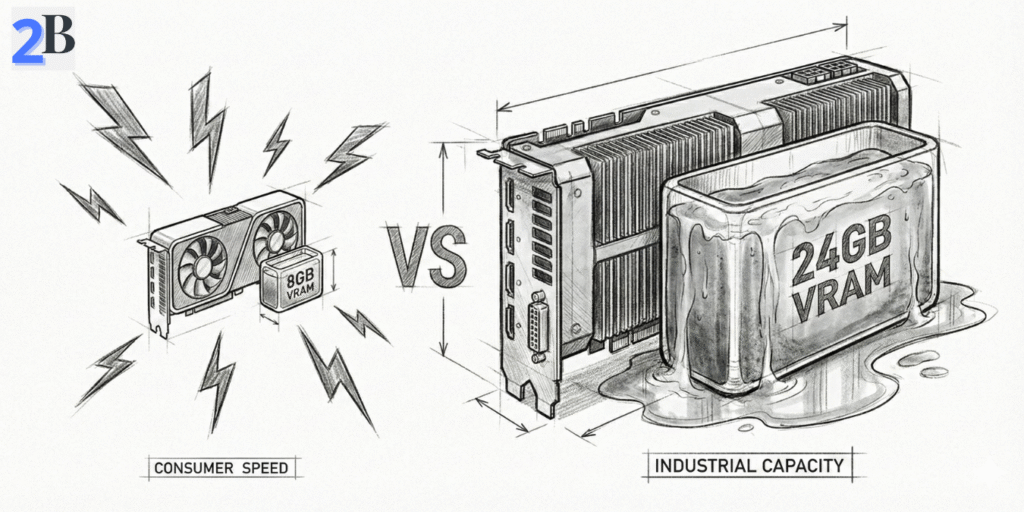
Because it’s still one of the best VRAM-per-dollar options on the used market. People buy it to run local inference on 7B–30B quantized models that struggle on 8–12GB cards. Real-world results vary by runtime and setup, but you’ll see reports ranging roughly from ~8 to ~45 tokens/sec depending on model, quantization, and context.
If your baseline is a “low drama” local server that just works day-to-day, I recommend comparing this against unified-memory builds too: The $599 AI Powerhouse: Why the Mac Mini M4 is the Ultimate Local LLM Server for Small Agencies.
| Segment | P40 Fit | Better Alternatives |
|---|---|---|
| Solo dev on a strict budget | Good if you need VRAM and accept slower “feel” | RTX 4060 (faster, but 8GB VRAM ceiling) |
| Batch / offline inference | Strong fit (VRAM + cost) | Cloud APIs for burst usage |
| Real-time long-context chat | Usually a pass | Modern RTX / unified-memory / cloud |
Next, I’ll break this down in a practical way: (1) what performance “counts” in 2026 (tokens/sec vs TTFT), (2) what the real TCO looks like once you include power + cooling + time, and (3) a simple buy/pass checklist so you don’t waste money on the wrong build.
The P40 decision in 2026 comes down to this: do you need “fits in VRAM” or “feels fast”? Old GPUs can look fine on tokens/sec in short prompts, then get crushed by the context tax (TTFT grows as context/KV cache grows). So in this section I’ll focus on the only metrics that actually change the buy/pass call: VRAM headroom, realistic tokens/sec, and what Pascal can’t do well.
The Tesla P40 is still attractive because it delivers 24GB VRAM for roughly $150–$200 used. But VRAM isn’t everything. It’s Pascal (2016) with no Tensor Cores and weak FP16 acceleration, which makes modern inference optimizations harder to unlock than on Turing/Ampere/Ada cards.
In the right setup, it can still run smaller quantized models at usable speeds—e.g., Mistral 7B Q4 often shows up around ~45 tokens/sec. Just treat that number as setup-dependent: backend, quant format, and context length can move it a lot. If your workflow is long-context chat or multi-user serving, the P40 tends to hit a cliff sooner than newer RTX cards.
Quick framing: if your problem is “I can’t fit the model”, P40 can be a smart hack. If your problem is “I need low-latency long-context chat”, you’ll often be happier with newer GPUs—or unified memory. (My Mac Mini baseline is here: The $599 AI Powerhouse: Why the Mac Mini M4 is the Ultimate Local LLM Server for Small Agencies.)
| GPU | Reference Workload | Observed Tokens/sec | Tensor Cores | Typical Street Price |
|---|---|---|---|---|
| Tesla P40 | Mistral 7B (Q4, single-stream) | ~45 (setup-dependent) | No | $150–$200 used |
| RTX 4060 | 7B-class (Q4, single-stream) | ~50 (setup-dependent) | Yes | $250–$330 new |
| RTX 3060 12GB | 8B-class (Q4, single-stream) | ~50 (setup-dependent) | Yes | $250–$350 used/new |
Bottom line: on the P40, VRAM is the feature. If you need modern kernels + long-context responsiveness, it’s usually the wrong tool. If you’re on Windows/WSL2, the software stack matters even more—this will save time: How to Set Up LocalAI on Windows via WSL2: A Driver Error-Proof Guide.
Decision rule: if you need “fit bigger models locally on a tight budget,” keep reading. If you need “fast long-context chat for a small team,” compare the cloud-vs-local limits here: Claude Pro vs Max for Small Teams (2–10 Devs): Real Monthly Cost and Limits (2026).
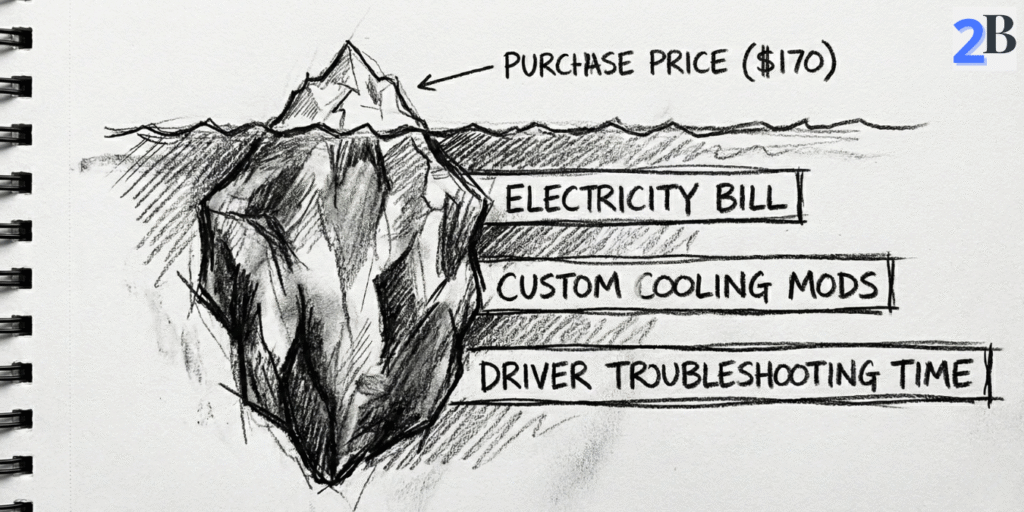
The Tesla P40 looks “cheap” on eBay. But ROI in 2026 is decided by three numbers: (1) your all-in build cost, (2) your electricity + uptime, and (3) your workload volume (tokens/day). This section turns that into a simple buy/pass decision.
Reality check: the P40 card is rarely the biggest cost. Most people underestimate the “supporting cast” (power, cooling, chassis, time). Here’s the quick breakdown.
Electricity is the stealth cost. The P40 is a 250W passive datacenter card. Your yearly power bill depends entirely on runtime. Use this formula:
Yearly cost = (Watts ÷ 1000) × hours/day × 365 × $/kWh
| Scenario | Assumption | Energy Use / Year | Cost / Year (example) |
|---|---|---|---|
| Light daily use | 250W, 8h/day | ~730 kWh | ~$130/year (at $0.178/kWh) |
| Always-on server | 250W, 24/7 | ~2,190 kWh | ~$389/year (at $0.178/kWh) |
Hidden TCO items (the stuff buyers regret ignoring):
If your goal is “run agents locally to avoid monthly API bills”, this is the same budgeting logic I use when evaluating paid plans and limits for real teams: Claude Pro vs Max for Small Teams (2–10 Devs): Real Monthly Cost and Limits (2026).
ROI only becomes obvious when you tie the hardware to a real workload. Cloud/API pricing varies by model and output volume, so I use a simple rule:
My practical breakpoint question: “Will I run this box most days of the week for the next 6–12 months?” If the answer is no, the P40’s ‘cheap’ price is usually a trap.
Also: don’t ignore privacy + compliance + hidden cloud costs (data sensitivity, vendor lock-in, logging). I break down that ‘hidden cost’ thinking in a different context here: DeepSeek R1 vs OpenAI o1-preview for Coding Reasoning: Where Open Source Actually Wins.
| BUY a used P40 if… | PASS on the P40 if… |
|---|---|
| You have a hard $200 GPU budget and need 24GB VRAM specifically. | You want a plug-and-play desktop build with normal cooling/no modding. |
| Your workload is batch/offline (summaries, indexing, overnight jobs). | You need low-latency chat with long context windows. |
| You’re fine pinning drivers/CUDA and troubleshooting Linux. | You require the newest CUDA stacks/frameworks without friction. |
| You will run it often (weekly sustained usage) so TCO amortizes. | Your usage is sporadic—cloud/APIs will likely be cheaper in total time + hassle. |
Next, I’ll get very specific about setup friction: cooling, power cabling, driver pinning, and a checklist to avoid the common “it boots but performs terribly” failure mode. If you’re on Windows, this will also pair well with: How to Set Up LocalAI on Windows via WSL2: A Driver Error-Proof Guide.
Bonus internal link: If you’re comparing “local box vs paying monthly”, here’s the solo version of that thinking: Claude Pro vs Max for Solopreneurs: 3 Real Workload Scenarios to Save Money in 2026.
This is the part most “P40 recommendation” posts skip. In 2026, the P40 can be a legit budget LLM box—but only if you treat it like a datacenter card, not a desktop GPU. The goal here is simple: avoid the 3 common failure modes (thermal throttling, power/cabling mistakes, and driver/CUDA dead-ends).
Like2Byte blueprint: use this checklist before you buy anything. It’s designed to prevent “it boots, but it’s slow / unstable / useless.”
Important: the Tesla P40 is a passive card (no fans). If you plug it into a normal desktop case without forced airflow, it will throttle hard—and your “cheap 24GB VRAM” turns into slow, inconsistent inference. Plan for:
Before you order a PSU, check the P40 power connector and make sure your build supports it cleanly. This is one of the most common “I didn’t know that” issues in P40 builds.
Pascal-era GPUs can still work well for local inference, but you need to treat your driver/CUDA stack like a pinned dependency. The practical approach in 2026 is:
If you’re on Windows, your fastest path is usually WSL2 + a known-good NVIDIA setup. This guide exists because driver issues are the #1 time sink for new local builders: How to Set Up LocalAI on Windows via WSL2: A Driver Error-Proof Guide.
If you plan to run the P40 inside Proxmox/KVM, budget time for “virtualization tax.” The common problems are:
Shortcut rule: if you’re new to passthrough, start bare metal first. Once the box is stable, then virtualize.
The P40 can be a great “VRAM bargain,” but it comes with real long-term risk. Here’s what actually pushes people off Pascal hardware in 2026:
If you want a modern “low drama” local server path, I’d compare this against a unified-memory build (especially for small agencies that want predictable day-to-day workflows): The $599 AI Powerhouse: Why the Mac Mini M4 is the Ultimate Local LLM Server for Small Agencies.
| Factor | Tesla P40 | RTX 4060 | Cloud API |
|---|---|---|---|
| Why people choose it | 24GB VRAM on a tiny budget | Modern support + efficiency | No hardware, instant scale |
| Biggest risk | Cooling + old software stack | VRAM ceiling (8GB) | Ongoing cost + data/privacy |
| Best for | Batch jobs, homelab, “VRAM gap” builds | Fast 7B–13B workflows, low hassle | Bursty usage, teams, production SLAs |
| Worst for | Plug-and-play + long-context realtime chat | 30B+ local models (single GPU) | Always-on heavy daily inference |
Next, I’ll wrap this into a clean decision summary: who should buy a P40 in 2026, who should pass, and what “one upgrade” changes the ROI the most.
Here’s the honest 2026 verdict: the Tesla P40 is not a “good GPU.” It’s a good deal on VRAM—and only for the right workload. Your decision comes down to a clean trade: 24GB cheap vs modern speed, efficiency, and low maintenance.
Buy logic: you’re paying for VRAM-per-dollar, not future-proof performance. A P40 still makes sense when you need to fit a 20B–32B-class quantized model locally and you’d rather accept slower responsiveness than spend 4× more on modern hardware.
Performance-wise, community benchmarks often cite runs like Mistral 7B Q4 around ~45 tokens/sec on certain setups. Treat that as an anchor, not a guarantee—your runtime, quantization format, and context length can move that number significantly.
If your “why local?” is mainly to escape recurring subscription/API spend, this same style of ROI thinking applies to paid model plans too (limits, hidden costs, when the upgrade is worth it): Claude Pro vs Max for Solopreneurs: 3 Real Workload Scenarios to Save Money in 2026.
Most P40 regret comes from expecting it to behave like a normal desktop GPU. These are the caveats that matter in 2026:
If you care about predictable day-to-day workflows more than “max VRAM per dollar,” compare it to a unified-memory local server approach (especially for small teams/agencies): The $599 AI Powerhouse: Why the Mac Mini M4 is the Ultimate Local LLM Server for Small Agencies.
| Decision Factor | Tesla P40 | Modern Budget GPU (RTX 4060) |
|---|---|---|
| What you’re really buying | 24GB VRAM on a tiny budget | Modern support + efficiency |
| Best-fit workload | Batch jobs, homelab, “VRAM gap” builds | Fast 7B–13B workflows, low hassle |
| Latency + long context | Often disappointing (“context tax” shows up fast) | Much better responsiveness |
| Power draw | ~250W | ~115W |
| Maintenance overhead | High (cooling, drivers, occasional breakage) | Low |
Final take: I’d buy a P40 in 2026 if I had a strict budget, I needed 24GB VRAM to run a bigger quantized model locally, and I was happy to treat the build like a homelab project (cooling + software pinning included). I’d pass if I needed plug-and-play reliability, low-latency chat, or modern framework support without friction.
Next step: if you do buy one, don’t wing the setup. Use a checklist and a stable stack—especially on Windows/WSL2: How to Set Up LocalAI on Windows via WSL2: A Driver Error-Proof Guide.
Related (security + hidden costs angle): If your motivation for “local” is privacy/control, this comparison shows where open source can win even when raw performance isn’t the headline: DeepSeek R1 vs OpenAI o1-preview for Coding Reasoning: Where Open Source Actually Wins.
It can be worth it if you specifically need 24GB VRAM on a tight budget for batch/offline local inference and you’re comfortable with DIY cooling plus an older driver/CUDA stack. If you need plug-and-play reliability or low-latency long-context chat, newer GPUs or cloud APIs are usually a better fit.
In practice, the P40 is most useful for running quantized models that benefit from its 24GB VRAM—typically 7B to ~30B class models depending on quantization method, context length, and runtime. Larger models may load but can feel slow in real-time workflows due to architecture limits and context tax.
Long prompts and large context windows increase KV cache and memory traffic, which raises time-to-first-token (TTFT) and can reduce throughput. On Pascal-era GPUs like the P40 (no Tensor Cores), this context tax usually shows up earlier than on newer RTX cards.
Yes. The Tesla P40 is a passive datacenter card (no fan). To avoid thermal throttling, you need strong directed airflow through the heatsink—commonly a server-style chassis or a shroud/duct plus high static-pressure fans.
For most people, the RTX 4060 is easier and more responsive (modern acceleration, better efficiency), but it’s limited by 8GB VRAM. The P40 wins only when VRAM is the hard constraint—when you need to fit bigger quantized models locally and accept higher power draw and more setup friction.
